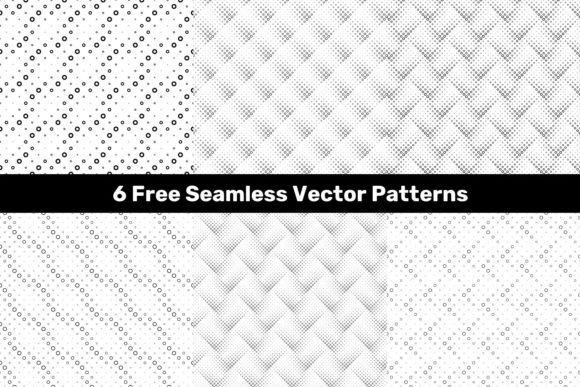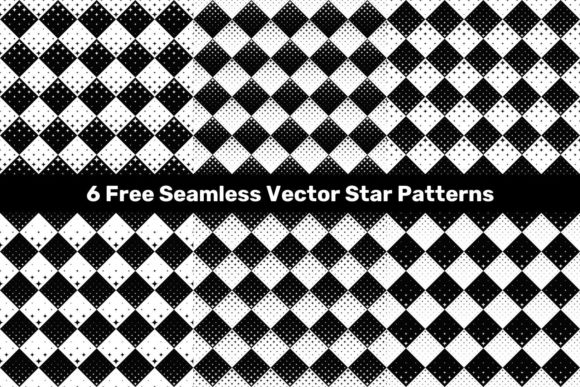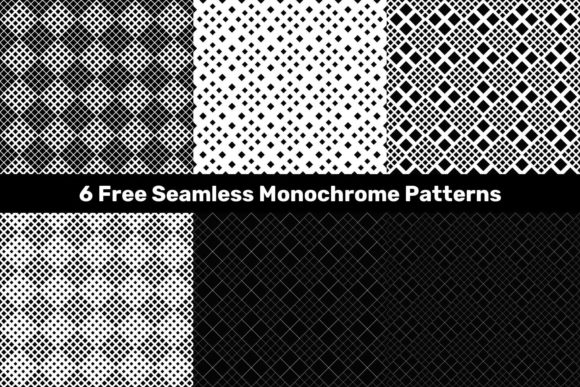
6 Free Seamless Halftone Dot Patterns for Versatile Design Work
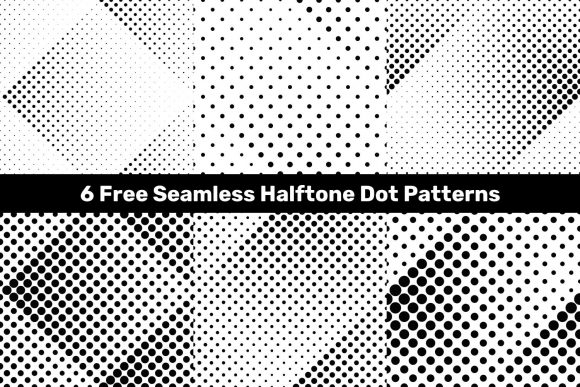
If you have ever wanted to add a classic printed texture to your digital projects, seamless halftone dot patterns offer a dependable solution. The 6 Free Seamless Halftone Dot Patterns collection provides a straightforward way to bring vintage screen-printing aesthetics, optical illusions, and subtle depth into your work without starting from scratch. Whether you are creating a poster, a social media graphic, or a product mockup, these patterns can give your visuals an immediate sense of character.
This particular package includes six JPG files at a generous 5000x5000 pixel resolution, plus six vector EPS files and six vector AI files. That means you have both raster and vector options depending on your workflow and output needs. The square format makes them easy to tile, rotate, or scale while maintaining a clean look.
What Makes Halftone Patterns Useful for Everyday Projects
Halftone patterns rely on dots of varying size or spacing to simulate shading or gradients. In the days of print, this was how newspapers and comic books reproduced photographs with only one ink color. Today, designers use halftones for retro vibes, pop art influences, or to add texture that feels tactile rather than flat. The 6 Free Seamless Halftone Dot Patterns capture that same effect in a modern, scalable format.
The seamless quality matters more than many newcomers realize. When a pattern repeats without visible seams, you can fill large areas, wrap it around objects, or use it as a background without awkward breaks. Each of these six patterns tiles perfectly, so you can apply them confidently to anything from a business card to a billboard-sized layout.
Another practical advantage is the mix of dot densities. Some patterns feature tightly packed dots for a darker, richer tone, while others use sparser spacing for a lighter, airier feel. This variety gives you flexibility when matching the pattern to your project's overall contrast and mood.
Who Benefits Most from This Pattern Collection
Creators at almost any skill level can find value in these free resources. If you are just starting out in graphic design, having ready-to-use vector patterns saves you the trouble of learning how to create halftones from scratch in software like Adobe Illustrator or Inkscape. You can drop them into your file and see immediate results.
Freelancers and small business owners who produce their own marketing materials will appreciate the time savings. Instead of hunting for a suitable texture or paying for a subscription, you get six distinct patterns that can be used across flyers, social media posts, email headers, and even simple packaging mockups. The vector format ensures you can resize them without losing clarity, which is essential when you are working across multiple platforms.
Educators teaching design fundamentals may find these patterns useful for demonstrating concepts like repetition, texture, and optical mixing. Students can experiment with overlaying halftone dots on photographs or combining them with typography to see how visual contrast changes.
Print Materials That Need a Tactile Feel
Business cards, event flyers, and posters often look better when they have some texture beyond a solid color. By applying one of the 6 Free Seamless Halftone Dot Patterns as a background or accent, you can mimic the look of screen printing or newsprint. This works especially well for brands aiming for a handmade, independent, or vintage personality. Try using a sparse dot pattern behind a bold headline to create subtle depth without distracting from the text.
Digital Content That Stands Out in Feeds
Social media graphics and blog headers compete for attention in crowded scrolling environments. A halftone background can break up the monotony of flat gradients and solid colors. For example, use a dot pattern with a colored overlay as the backdrop for a quote graphic or a product announcement. The texture adds visual interest even when the viewer is only glancing at it briefly.
Packaging and Label Mockups
If you design product packaging, halftone patterns can simulate craft paper or vintage labels. Apply the pattern to a rectangular area that represents a sticker or a side panel, then adjust the opacity so it feels integrated. The high resolution of the JPG files (5000x5000 pixels) means you can zoom in closely without seeing pixelation, which is critical when presenting mockups to clients.
Website and User Interface Accents
While halftones are often associated with print, they can work on the web as hero section backgrounds, divider patterns, or hover effects. Because the patterns are seamless, you can tile them with CSS or use the vector files directly in design tools like Figma or Sketch. Keep in mind that very dense dot patterns may cause visual fatigue on screens, so use them in moderation and test on different devices.
What to Consider Before Using These Patterns
Even though the 6 Free Seamless Halftone Dot Patterns are ready to use, a few practical points will help you get the best results. First, think about scale. A pattern that looks great on a small thumbnail may appear too busy or too sparse when stretched across a large poster. Because the vector files are fully editable, you can adjust the dot size or spacing in your preferred vector software. If you stick with the JPG files, experiment with scaling in your layout app to find the sweet spot.
Color treatment is another factor. The patterns themselves are monochrome (typically black dots on transparent or white backgrounds), but you can recolor vector patterns easily in Illustrator or Affinity Designer. For the JPG versions, you can apply blending modes, opacity changes, or color overlays in Photoshop or Canva to match your palette. Avoid simply placing a black dot pattern over a dark background, as the contrast will be lost.
File format choice also matters. If you need crisp edges at any size, the vector EPS or AI files are the better option. They export cleanly for both print and screen. The JPG files are more convenient for quick drop-in use, especially if you are working in software that does not support vector imports. Keep both formats in your resource folder so you can grab whichever matches your current task.
Licensing is always worth noting with free resources. While these patterns are offered for free download, it is sensible to check the specific terms provided by the creator. Most free vector sets allow personal and commercial use, but attribution requirements or restrictions on reselling the patterns as standalone files may apply. A quick scan of the included readme or the download page will clarify what you can and cannot do.
Making the Most of the Vector Files
If you are comfortable with vector editing software, the AI and EPS files give you control that raster images cannot match. You can adjust the dot density, change dot shapes from circles to squares or even custom symbols, and combine multiple patterns for layered effects. For instance, you might use a dense dot pattern as a shadow layer behind an object and a sparse pattern as a highlight on top.
Beginners who feel unsure about vector software can start with the JPG files and gradually explore the vector versions as they build confidence. The key is to treat these patterns as flexible building blocks rather than finished elements. A small tweak in size, color, or opacity can completely change the mood of your design without requiring a new resource.
Ideas for Experimentation
- Overlay on photographs: Place a halftone pattern over a black and white photo, then set the blend mode to Multiply or Overlay. This creates a comic book or high-contrast editorial look that draws attention.
- Use as a texture for mockups: When presenting a T-shirt, tote bag, or notebook design, apply the pattern to the mockup surface to show how the print would look on fabric or paper.
- Combine with typography: Fill bold lettering with a dot pattern instead of a solid color. The texture adds detail without needing extra graphic elements.
- Create geometric backgrounds: Rotate or offset the pattern to break the grid and produce unexpected variations. Even a small rotation can make a pattern feel custom.
Final Thoughts on Adding Halftone Patterns to Your Workflow
The 6 Free Seamless Halftone Dot Patterns deliver a practical mix of quality, variety, and compatibility. Having both raster and vector formats means you can use them in almost any design tool, from professional suites to simple online editors. Whether you are creating a one-off social post or a full brand identity, these patterns give you a reliable texture that feels intentional rather than generic.
Take a few minutes to test each pattern with your own content. Apply them to different backgrounds, try them at various sizes, and see how they interact with other elements in your layout. Because they are free and ready to download, you have nothing to lose and a versatile new set of design tools to gain.