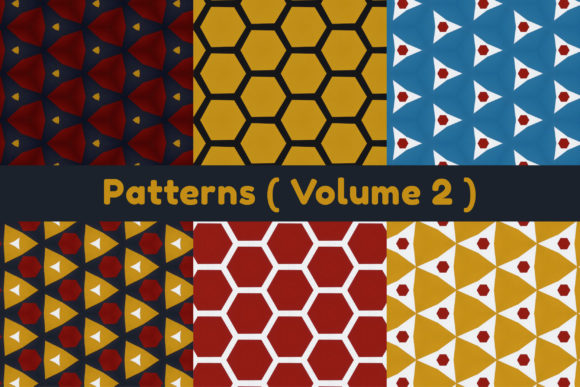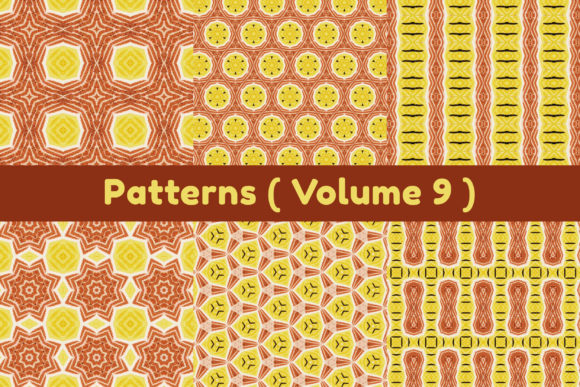
Patterns Volume 1: Balancing Resolution, Scale, and Practical Utility in Design Assets
When a design asset arrives with specifications like 3600 x 3600 pixels at 300 DPI, it is easy to focus on the numbers alone. But Patterns Volume 1, a collection of six high-quality JPG images in a single zip file, demands a closer look at what those numbers actually enable. The promise of a 12 inch by 12 inch canvas at 300 DPI is not merely a technical footnote; it is a statement about how the asset can move between digital canvases and physical substrates without losing integrity. Understanding this interplay between pixel dimensions, resolution, and real-world output is essential for anyone who works with visual patterns, whether for branding, packaging, textile design, or digital interfaces.
The Technical Baseline: 3600 x 3600 Pixels at 300 DPI
At first glance, 3600 pixels per side might seem abstract. But when paired with 300 DPI, it maps directly to a 12 inch by 12 inch square in print. This is not an arbitrary size. Twelve inches is a standard measure for many physical design artifacts: product packaging mockups, fabric swatches, wallpaper samples, scrapbooking pages, and presentation boards. The resolution ensures that fine details within the pattern remain crisp and free of visible pixelation when viewed up close. For a pattern asset, this means the repeating elements, textures, and color transitions hold together at a scale that matters in both prototyping and final production.
The 300 DPI standard is widely accepted across commercial printing environments. It aligns with what professional offset and digital printers expect for high-quality output. Dropping below this threshold can introduce jagged edges or softness in intricate motifs. Patterns Volume 1 eliminates that concern at the source, providing a file that is ready for press without interpolation or upscaling. For designers who work with CMYK conversions or who need to adjust color profiles, starting from a 300 DPI RGB JPG at this resolution gives enough headroom to make edits without degrading the underlying data.
JPG Compression and Quality Considerations
JPG is a lossy format, which sometimes raises eyebrows among purists who prefer PNG or TIFF for pattern work. However, the JPG format in Patterns Volume 1 is optimized to balance file size and visual fidelity. A 3600 x 3600 pixel JPG at high quality setting can retain nearly all perceptible detail while remaining practical to download, store, and transfer. The six images in the zip file are manageable to handle even on devices with limited storage. For most use cases, including digital mood boards, social media content, and print prototypes, the JPG format is more than adequate. The key is that the compression does not visibly disrupt the pattern repeat or introduce artifacts in flat color areas, which is particularly important for geometric or organic patterns where continuity is central.
Translating Pixels into Physical Dimensions
The 12 x 12 inch footprint is a versatile size. It fits neatly onto a standard letter or A4 sheet with margins, making it easy to print test swatches on home or office printers. It also aligns with many product dimensions in the craft and design world. Scrapbookers often work with 12 x 12 inch paper pads. Quilters use 12 inch squares as planning blocks. Packaging designers can wrap a 12 inch square around a box prototype or use it as a panel insert. The square aspect ratio also simplifies scaling: if a designer needs a 6 inch square, halving the file at 300 DPI still yields 1800 x 1800 pixels, which is more than enough for many applications. The math works cleanly because the original asset is built on a resolution that divides evenly into common print dimensions.
Print Output Scenarios
For small-run print projects, such as custom gift wrap, decals, or fabric yardage, having a 300 DPI source file means the pattern can be printed at its native size or slightly reduced without recalculating resolution. Enlarging beyond 12 x 12 inches begins to stretch the pixel data, but a moderate increase to 18 x 18 inches at 200 DPI may still produce acceptable results for signage or posters where viewing distance is greater. The pattern's inherent repeat structure often masks minor softness at larger sizes. Users of Patterns Volume 1 should test a small section at the target output size before committing to a full production run, but the starting resolution gives significant flexibility.
Applications Across Creative and Professional Domains
Pattern assets are rarely confined to a single discipline. Patterns Volume 1 serves a broad audience precisely because the specifications appeal to diverse workflow requirements. Educators use pattern images to teach principles of symmetry, repetition, and color theory. Researchers in visual perception or material science may incorporate patterns into stimuli or documentation. Hobbyists who create custom stationery, invitations, or home decor find the 300 DPI resolution forgiving for home printers, which often produce best results at 150 to 300 DPI. Business owners who manage branding assets appreciate having a pattern that can be dropped into product mockups without additional tweaking.
Digital Interface and Web Use
Although 3600 x 3600 pixels is far larger than typical web graphics, scaling down is always safer than scaling up. For website backgrounds, app interfaces, or social media tiles, the pattern can be resized in any image editor, and the high original resolution ensures that when reduced, the edges remain sharp and the compression artifacts are minimized. The 12 x 12 inch square also works well as a base unit for responsive pattern tiles in CSS or design systems. Designers who work with Figma, Sketch, or Adobe XD can import the image and set it as a fill pattern, knowing that the tile boundaries are clean and the repeat is seamless.
Print-on-Demand and Merchandise
The print-on-demand industry relies heavily on customer-uploaded files. Platforms like Printful, Redbubble, and Society6 specify minimum resolution requirements, often around 300 DPI at the size of the product. Patterns Volume 1 arrives ready for many standard products: 12 x 12 inch pillows, 11 x 17 inch posters, or square tote bags. The six patterns in the collection offer variety, which allows creators to test different motifs across product categories without commissioning custom artwork. Having multiple options in one zip file streamlines the iteration process, especially for sellers who want to launch several products quickly.
Workflow Integration and Asset Management
A zip file containing six JPG images is a compact delivery format. It requires no special software to unpack, works on any operating system, and can be stored in cloud drives, local folders, or directly within design application libraries. For teams, this simplicity reduces friction. A pattern can be shared via email, Slack, or a shared drive without worrying about compatibility or file corruption. The file naming convention within the zip (assuming clear, descriptive names) allows users to identify patterns without opening each one, which saves time during busy production cycles.
Layer and Composite Preparation
For designers who layer patterns into composites, the 3600 pixel square is large enough to serve as a background layer in a complex document. When combined with other elements such as typography, logos, or illustrations, the pattern can be masked, blended, or overlaid without needing to tile multiple copies. The high DPI ensures that if the composite is later printed, the pattern contributes full detail to the final output. In professional publishing, this means fewer trips back to the source file to adjust resolution, reducing the chance of error.
Understanding the Limits of the Medium
No asset is universal, and Patterns Volume 1 has its own boundaries worth acknowledging. The JPG format does not support transparency, so users who need to overlay patterns on colored backgrounds will need to use blending modes or isolate the pattern with masking in their editing software. The six images are provided as static motifs; they are not vector files, so infinite scaling is not possible. For large-format applications beyond 24 x 24 inches, a vector pattern might be more appropriate. However, for the majority of design tasks that fall within or near the 12 inch range, this collection hits a practical sweet spot.
Color Profile and Calibration
JPG images are typically encoded in sRGB, which is the default color space for web and most consumer devices. Users who require exact Pantone matching or who work in specialized print environments may need to convert the images to CMYK and adjust colors accordingly. The original 300 DPI data provides enough tonal information for these conversions to be performed without excessive loss, but some color shifting is inevitable. It is always advisable to proof a physical sample before committing to large runs, especially for patterns with subtle gradients or near-neutral tones.
Educational and Research Value of the Collection
Beyond commercial applications, Patterns Volume 1 holds value as a teaching tool. Art and design educators can use the images to explain resolution concepts in concrete terms. Students can examine how a 300 DPI file prints at 12 x 12 inches, then experiment with lowering the DPI to see where quality degrades. The patterns themselves can serve as prompts for projects in color theory, motif development, or repeat construction. Researchers in visual culture or cognitive science might use standardized pattern sets as stimuli, where controlled resolution ensures consistent presentation across trials. The fact that the collection includes six distinct images allows for limited variability without overwhelming the dataset.
Archiving and Long-Term Accessibility
JPG files, while not archival in the strictest sense, are widely supported and likely to remain readable for decades. For personal or institutional collections, Patterns Volume 1 can be stored alongside other digital assets without requiring proprietary software. The relatively small file size per image compared to TIFF or PSD equivalents makes backup and migration simpler. For anyone building a pattern library, having a six-image seed collection at this resolution provides a solid foundation. Additional patterns can be acquired or created later, but the baseline specifications set a quality threshold that future assets should meet or exceed.
Selecting the Right Pattern for a Given Context
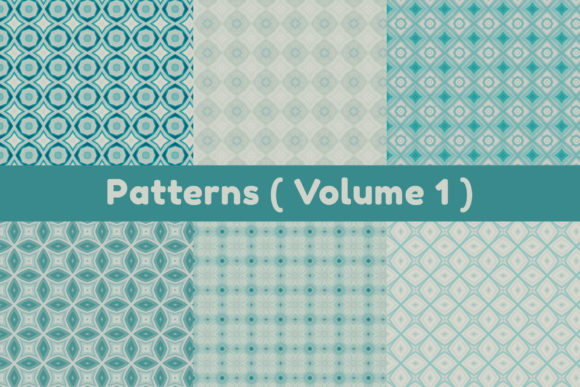
With six patterns in the volume, each image likely offers a different visual character. Some may be geometric, others organic, some dense, others sparse. Matching the pattern to the project context is as important as the technical specs. A tight repetitive geometric pattern works well for data visualization backgrounds or tech product packaging, while a flowing organic motif suits lifestyle branding or textile design. Users should open each image, assess its contrast, detail density, and color palette, then test it against their specific medium. The 300 DPI resolution makes these tests reliable; what you see on screen at 100 percent zoom closely approximates what you will see in print at the 12 inch size.
Combining Patterns Within a Project
Multiple patterns from the same volume can be used together in a cohesive design system. For instance, one pattern might serve as a primary background, another as an accent band, and a third as a fill for icons or dividers. Because all six images share the same resolution and output dimensions, they scale consistently. This coherence reduces the risk of mismatched quality across elements. A brochure, website, or product line that incorporates two or more patterns from Patterns Volume 1 can maintain a unified visual language without extra calibration.
Final Observations on a Practical Asset
Patterns Volume 1 occupies a specific niche: it is not a massive library, nor is it a single generic tile. The six JPG images at 3600 x 3600 pixels, 300 DPI, 12 x 12 inches strike a balance that suits a wide range of users. For professionals who need production-ready files without editing, the asset saves time. For hobbyists who want reliable output from consumer printers, the specs remove guesswork. For educators and researchers, the collection offers a controlled set of visual stimuli that are defined enough to be useful but varied enough to inspire. The zip file format and standard JPG compression make the collection immediately accessible, while the resolution gives it longevity in an evolving landscape of screen sizes and print technologies. Understanding what these numbers mean in practice transforms Patterns Volume 1 from a simple download into a versatile tool for visual communication.