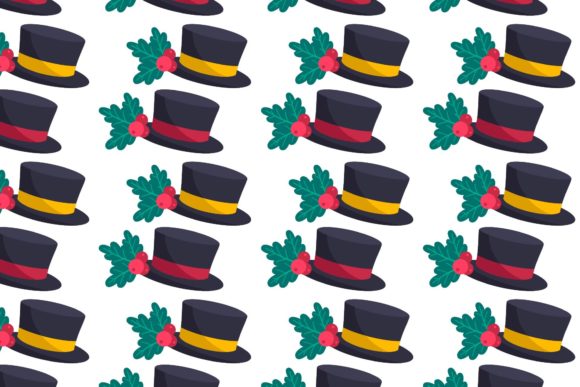
The Ultimate Guide to Christmas Hat Patterns and Christmas Design: Elevate Your Holiday Creations
The holiday season is a time of warmth, generosity, and creative expression. From the first frost on the windowpane to the twinkle of fairy lights, every detail contributes to the magic of Christmas. Among the most iconic and universally beloved symbols of this season is the Christmas hat—whether it's the classic Santa cap with its fluffy white pom-pom, a playful elf hat, or a modern minimalist version. Christmas hat patterns have become a cornerstone of holiday design, appearing on greeting cards, social media graphics, party invitations, wrapping paper, and countless DIY crafts. But what makes these patterns so enduring, and how can you make the most of them in your own projects? This guide will walk you through everything you need to know about Christmas hat patterns and Christmas design, from their significance to the practical tools that bring them to life.
Whether you're a seasoned designer, a small business owner creating holiday promotions, a teacher planning classroom activities, or a craft enthusiast looking for your next project, understanding how to work with Christmas hat patterns opens up endless possibilities. In this article, we'll explore the purpose and cultural meaning of Christmas hat designs, break down the different digital file formats you need to know, and show you how a carefully curated bundle of design assets can streamline your creative process. By the end, you'll have a solid foundation for using Christmas hat patterns with confidence and flair.
The Significance of Christmas Hat Patterns in Holiday Design
Christmas hats are far more than just festive accessories; they are visual shorthand for joy, generosity, and childlike wonder. The classic Santa hat, with its red cone, white trim, and pom-pom, has roots stretching back to the 19th century and the modern image of Saint Nicholas popularized by Clement Clarke Moore's poem "A Visit from St. Nicholas." Over time, variations emerged—elf hats with curled tips, reindeer antler headbands, and even whimsical designs featuring snowflakes or holly. Each style carries its own nuance, but all share a common thread: they instantly signal "Christmas."
In contemporary design, Christmas hat patterns serve many roles. A single hat icon can anchor a logo for a holiday sale, add whimsy to a children's book illustration, or unify a set of social media posts. When used in patterns—repeating motifs across fabric, wallpaper, or digital backgrounds—they create a cohesive festive atmosphere that users and viewers instinctively respond to. This emotional connection is powerful, which is why brands, educators, and creators rely on Christmas hat designs year after year. They tap into collective nostalgia while offering endless room for innovation, from sleek vector silhouettes to detailed watercolor renderings.
Understanding this context helps you choose the right pattern for your audience. If you're designing for a corporate holiday card, a subtle, geometric hat pattern might convey elegance. For a kids' craft workshop, bright, exaggerated hats with varied expressions foster engagement. The versatility of Christmas hat patterns means they can be adapted to virtually any medium or message, making them an essential tool in any holiday design toolkit.
Demystifying Digital File Formats for Christmas Design Projects
To bring a Christmas hat pattern from concept to finished product, you need the right digital file format. Many beginners feel overwhelmed by acronyms like AI, EPS, SVG, JPG, and PNG, but each serves a distinct purpose. Let's break them down in simple terms so you can choose the best format for your project every time.
Vector Formats: AI, EPS, and SVG
Vector files use mathematical equations to define shapes, which means they can be scaled to any size without losing quality. This makes them indispensable for professional design work.
- AI (Adobe Illustrator) – This is the native format for Adobe Illustrator, the industry-standard vector editing software. An AI file preserves all layers, effects, and editable text, giving you maximum control. If you plan to customize a Christmas hat pattern—changing its color, resizing individual elements, or combining it with other vector art—an AI file is your best friend.
- EPS (Encapsulated PostScript) – EPS is a versatile vector format that can be opened in many design programs, including older versions of Illustrator, CorelDRAW, and even some word processors. It's widely used for printing and sharing vector artwork because it maintains quality and compatibility across platforms.
- SVG (Scalable Vector Graphics) – SVG is the go-to vector format for web and screen use. It's natively supported by all modern web browsers and can be edited in code or with design tools like Figma and Inkscape. If you're building a website, creating responsive social media graphics, or using a cutting machine like Cricut or Silhouette, SVG files are ideal because they remain crisp at any display size.
Raster Formats: JPG and PNG
Raster files are made of pixels, so they have a fixed resolution. They excel at representing complex details like gradients, textures, and photographs.
- JPG (or JPEG) – This compressed format is perfect for sharing finished designs online or via email. It balances file size and image quality, making it the standard for photographs and web images. A JPG of a Christmas hat pattern works well as a background for a blog post or as a preview image in an online shop.
- PNG – Unlike JPG, PNG supports transparency, meaning you can place a Christmas hat pattern over any background without a white box around it. This makes PNG invaluable for logos, overlays, and any design where you want the pattern to blend seamlessly into its surroundings. It also retains higher quality than JPG for graphics with sharp edges and text.
A complete design bundle that includes all five formats—AI, EPS, SVG, JPG, and PNG—gives you maximum flexibility. Whether you're printing a large banner, editing layers in Illustrator, or dropping a hat icon into a Canva project, you'll have exactly the right file for the task.
Practical Applications for Christmas Hat Patterns
Once you understand the tools, the next question is: what can you actually create with Christmas hat patterns? The answer is almost anything you can imagine. Here are some real-world applications that illustrate their versatility.
DIY Crafts and Home Decor
For crafters, Christmas hat patterns are a goldmine. Use SVG files with a cutting machine to produce vinyl decals for mugs, ornaments, or wooden signs. Print PNG files onto iron-on transfer paper to create custom T-shirts or tote bags for a family gathering. With the 1920x1280 pixel canvas size provided in this bundle, you have enough resolution to print crisp designs up to poster size, making them suitable for wall art or gift wrap.
Digital Scrapbooking and Printable Planners
In the world of digital planning, Christmas hat patterns add instant holiday spirit to planner stickers, journal pages, and scrapbook layouts. Because PNG files offer transparency, you can layer a tiny Santa hat onto a calendar date or a photo without any hassle. The wide canvas size also means you can crop and scale sections of the pattern for unique accents.
Small Business Branding and Marketing
If you run a business, seasonal design assets help you stay relevant without reinventing your entire brand. Add a subtle Christmas hat pattern to the corner of your email newsletter header, use a hat icon as a social media avatar for December, or create limited-edition product packaging. The vector formats (AI, EPS, SVG) ensure your designs maintain professional quality across print and digital channels.
Educational and Classroom Activities
Teachers can use Christmas hat patterns for holiday worksheets, bulletin board decorations, or simple coloring activities. The JPG and PNG formats are easy to insert into documents or presentation slides. Even young students can practice cutting and placing hat shapes as part of a creative exercise, learning about symmetry and color theory along the way.
What to Look For in a High-Quality Christmas Design Bundle
Not all design bundles are created equal. When choosing Christmas hat patterns to invest in, consider these key factors to ensure your projects turn out exactly as you envision.
- Canvas Size and Resolution – A canvas of 1920x1280 pixels offers a generous working area suitable for both web and print. You can export smaller versions for thumbnails or use the full resolution for high-quality prints.
- File Format Variety – As discussed, having all five formats (AI, EPS, SVG, JPG, PNG) covers every use case. Look for bundles that include editable vector files so you can tweak colors or shapes to match your brand or personal style.
- Ease of Editing – The best designs are organized with layers and clearly named elements. This makes them accessible even if you're not an expert in vector software. A bundle that emphasizes ease of use saves you time and frustration.
- Design Quality – Patterns should be visually appealing, with clean lines and harmonious colors. They should also avoid common pitfalls like overly complex details that don't scale down well or generic clip-art that feels stale.
A common misunderstanding is that digital files are "one-size-fits-all." In reality, the right bundle gives you control. You can take a single Christmas hat pattern and create a full holiday campaign—from a website hero image to a printed banner—simply by choosing the appropriate format from the set.
How These Digital Files Fit Into Your Creative Workflow
Using a Christmas hat pattern bundle is straightforward, even if you're new to digital design. Here's a typical workflow that shows how the different formats come into play.
- Download and Organize – After purchasing, download the ZIP folder containing all five files. Unzip it and store the files in a dedicated project folder for easy access.
- Choose Your Format – For maximum customization, open the AI or EPS file in Adobe Illustrator. Here you can change hat colors, adjust scale, or combine patterns. If you're using a free tool like Inkscape or a web app like Canva, the SVG format works beautifully because it retains vector quality and transparency.
- Design Your Project – Import the pattern into your chosen software. The 1920x1280 canvas size gives you ample space to work. You might crop it for a social media post, layer it over a photo, or use it as a repeating background.
- Export and Share – Save your final design as a JPG for web sharing or a PNG for transparent overlays. If you're printing, the high-resolution JPG ensures crisp output. The SVG file can be used directly on websites or in cutting machine software.
This workflow adapts to any skill level. Beginners can simply use the JPG or PNG straight out of the bundle for quick projects, while experienced designers can dive into the vector files to create something entirely unique.
Final Thoughts: Unleash Your Holiday Creativity
Christmas hat patterns are more than just festive decorations—they are versatile design tools that help you communicate joy, nostalgia, and seasonal cheer. By understanding the significance behind these patterns and mastering the different file formats, you can approach every holiday project with clarity and confidence. Whether you're crafting a personal gift, building a brand campaign, or teaching a classroom of eager learners, a well-prepared bundle of digital designs saves you time while expanding your creative possibilities.
With a set that includes AI, EPS, SVG, JPG, and PNG files on a generous 1920x1280 canvas, you're equipped for anything. The ease of editing and broad compatibility mean you can focus on what matters most: making your holiday vision a reality. As you plan your next creative endeavor, let these patterns inspire you to experiment, share, and celebrate the season in your own unique way. Happy designing, and may your holidays be filled with warmth, wonder, and just the right touch of festive flair.